Posted on

How to Make Money from Home Using 3d Printer | 15 Money Printing Ideas

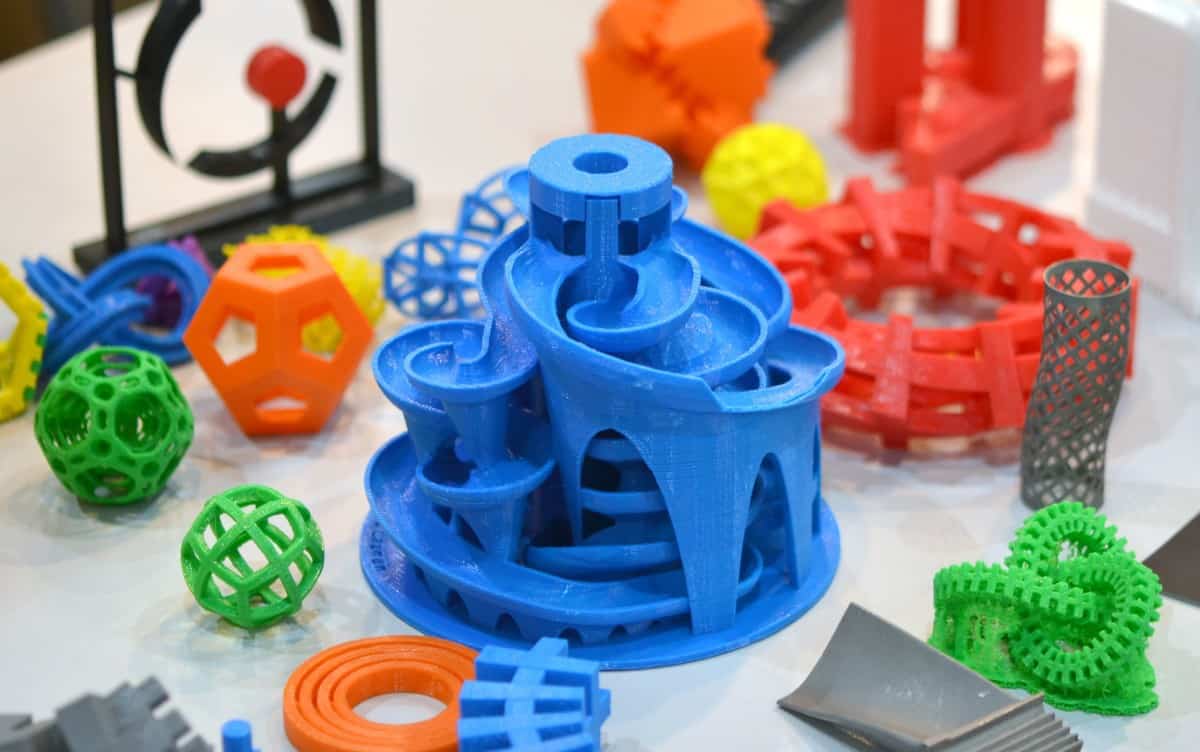
3D printing has been taking off in a big way over the last decade. Hobbyists, artists, and designers have many opportunities to make money with their 3D printers. We’ve made a list of 15 of the best ways to cash in on this market! If you love to use your 3D printing skills, one of these ideas is bound to be perfect for you.

1. Print Figurines

3D printing figurines of popular characters in various fictional universes is a great way for you to make money at home with your 3D printer. You could add slight customizations, make the limbs movable, add props, and make them as large as the person who ordered them wants them to be. Because of the complexity and the recognizable characters, you could charge quite a bit of money for these figurines if you choose to sell them.

However, depending on the fictional universe that the character figurine you are printing belongs to, there are certain laws and extra fees that you need to keep in mind before selling the figurines. Many companies, such as Disney and Warner Bros., require you to pay them when you sell something that is based on a character in a universe that they own. They can do this because of copyright and patent laws.

It may not be a big deal unless you are a major retailer, but you should still be aware of this danger. You don’t want to face a lawsuit because of an illegal Tweety Bird!

2. Print Busts

If you want to make money with your 3D printer at home, you can print custom busts. You could print ones that look like various famous characters, historical figures, custom busts based on photographs, pets, and more! You could make the busts in different sizes and various colors. If you make busts of characters, you can ensure that many small details are included, which means you can charge more money for the printing.

Before you make 3D printing of famous characters, make sure that you are allowed to sell custom items based on the various characters that you are planning on printing. Copyright laws may limit which characters you can sell images or replicas of.

3. Print Action Figures of Normal People

If you want to make money with your 3D printer at home, you can print action figures that look like normal people. Many people think that it would be cool to have an action figure that looks exactly like them and will definitely pay someone who can make it.

You could make it fully customizable as well. You could let people choose the colors of their costume, their name, their superpowers, how large the figure will be, and what their suit will look like.

You could also allow them to choose whether or not their costume has a cape, although many people will probably want their superhero costume to have a cape because they look cool. You could even allow them to include a pet next to them to aid them in their superhero adventures. Superhero action figures based on people are limitless, so you could make a lot of money selling custom action figures online.

4. Print Building Replicas

Many people have buildings that hold sentimental value to them and want to have a small replica in their home for them to look at every day. Others think that particular buildings look really cool and want to have a replica in their home. If you want to make money with your 3D printer at home, sell replicas of various buildings.

You could choose to only print out replicas of famous buildings like Notre Dame or the White House to make it easier for yourself, but you could also allow people to upload pictures of the building that they want a replica of. However, figuring out the design of the building may be slightly difficult with only a picture to base your design on, so you may want to show your clients what the replica of the building will look like before you start printing it.

Allowing your clients to see the product before it is printed may also make them more excited to get the actual product, which is almost always good for business.

5. Print Various Items for Companies

Many companies need or want items to be printed with a 3D printer, but do not have one on-site. So what do they do? They hire people to print the items they need and have the finished products sent to the company.

If you want to make money at home with your 3D printer, you could print various items that companies might need. You could charge by how large the item is, how complicated the design is, how long it will take to print, or any other factor. If you print things for hire, then you can work around your schedule and still make a lot of money.

An easy way to be available for companies to hire you to 3D print items is by creating a shop on Esty or another independent retailer website.

6. Print Game Pieces

Games are played around the world, but sometimes pieces get lost or broken. Unfortunately, many companies do not sell individual pieces to replace lost or broken pieces, so people then have an incomplete game that has become slightly harder to play.

If you want to make money with your 3D printer at home, you can make replacement pieces for a variety of games, or you could sell custom replacement game pieces. You could even charge people a little bit more money if they want the game pieces to be painted to look like the original game piece.

However, we would recommend offering this service only if you have a lot of experience with painting things professionally. You could get some bad reviews if the customer isn’t happy with your paint job!

7. Print Tools

If you want to make money with your 3D printer at home, you can also print tools. You can print any tools that you want to sell, and you can print them in any color that your client chooses. 3D printed tools do work, although they are slightly harder to use because they lack the weight that pure metal adds. However, they can still be used and are much easier to carry than traditional tools, so many people want to purchase 3D printed tools.

You don’t have to sell tools that are complicated to make. You could simply sell a variety of screwdrivers, hammers, pliers, and putty knives and have a pretty extensive inventory of 3D printed tools that work. However, you may have to add some sort of weight to the hammer so it can work properly when used.

8. Print Vases

Vases are very popular 3D printed items. If you want to work from home and make money with your 3D printer, make vases and sell them online. They don’t have to look like boring vases that you can find at any craft store. Instead, make the vases look clean and modern. Make the vases in a variety of colors and patterns, and make each pattern different from the rest.

Vases can be found in almost any household, and there are a lot of people who want to purchase vases from individuals rather than large companies. If you want to separate the vases that you create from the rest, allow them to be customizable.

9. Print Bowls and Cups

If you don’t want to 3D print vases, then print bowls and cups. Everyone uses bowls and cups, so there is a large audience that you can appeal to. Many people don’t want to pay a lot of money for cups and bowls that are made out of glass or stone and bowls made from a 3D printer appeal to people because they were made in a different way than usual, so your business will likely do well after people find out about it.

10. Print 3D Portraits

Many people want portraits of their friends or loved ones, but not everyone wants to hang a painted portrait on the wall. If you want to make money at home using your 3D printer, sell 3D printed portraits of people based on a photo that each client sends to you. However, before you actually print out the 3D portrait, you will want to send the client something that shows what the 3D portrait will look like, just so that they are not surprised or disappointed when it arrives at their house.

3D portraits are definitely talking points when they are seen in a home, and people want to have interesting things to talk about in their home, so you will have a large market to tap into if you choose to sell 3D portraits. You could even make 3D portraits of lost pets, which will definitely be appealing to pet parents.

11. Print Toys

Toys are always being bought, but many parents do not want to purchase toys from large companies that use many chemicals to make the toys that they sell. Instead, they want to purchase toys from independent retailers that tell you exactly what the toys that they are selling are made out of.

If you want to make money at home with your 3D printer, make a variety of toys. You can offer toys with moving parts, toys that work with batteries, or toys that really don’t do anything at all. You could even sell customizable toys where the client tells you what they want a toy to do and look like, and then you make it after they approve of the design. There are endless possibilities when you are making toys with a 3D printer.

12. Print Home Decor

If you want to make money without ever leaving your house with your 3D printer, you can print home decor. Many people who own homes want to have customized home decor in their house so that they can show it off to others, so they will pay a lot of money for a customizable home decoration piece, especially if they have never seen anything that is exactly like it in the past.

You could make anything that you want with a 3D printer when it comes to home decor. You could print out things to hang on the wall, coasters, picture frames, decor pieces that really don’t have a purpose, candleholders, or items that people specifically request. People want to support individual retailers and they want to decorate their homes in a way that suits them. Why not make home decorations with a 3D printer that other people think will look great in their home.

13. Print Keychains

Keychains are very easy to make with a 3D printer, so why not make and sell them while you are at home? Keychains are always popular, but your customers may want keychains that look unique and are customized to their preferences. If you have a 3D printer, then you can sell customized keychains out of your home and make a lot of money.

14. Custom Wedding Memorabilia

If you want to try something a bit more personal, you can also sell customized wedding memorabilia. Many people get married, and they want to give their guests a gift that will remind them of the day for years to come. However, many guests don’t have the ability to bring large gifts home, even if they want to keep the memento for various reasons.

You could make hearts or other keepsakes that have the couple’s names on them, a small replica of the happy couple on their wedding day, or simply allow the bride and groom to customize the gifts. You could even make a one-of-a-kind cake topper! There are endless possibilities when it comes to wedding memorabilia.

15. Film Your 3d Printer Printing Items

If you enjoy using your 3D printer but do not want to sell items online or in stores, then you can always film your 3D printer and post it online.

The videos that you create do not have to be very long, and you can post them on YouTube, TikTok, or Facebook and reach a very large audience. People are interested in this technology, so if you become a popular creator, you could make some money from tutorials, guides, and demonstrations.

Posted on Leave a comment

What Do You Need for 3d Printing? Set Up, Cost, and Maintenance

3D printing has been the latest craze and it’s definitely one of the coolest things that has come out of the last decade—there are so many things that you can make now that the technology has become available to the general public. Not only do manufacturers have great new opportunities with 3D printing but so does each individual who wants to give it a shot. Before you get started, there are some things that you need to have before you can design and print your creations.

3D printing requires a machine that can 3D print, the material that is needed to print it with, a design, and the software to help edit the designs. Each of these is essential to properly print and create things in 3D form. The average cost of a 3D printer is around $700.

The world of 3D printing is larger than you think and can be full of great opportunities and experiences if you really explore it. Immerse yourself in this great world and you will be surprised to find that it can be used as an amazing tool to fuel creativity, manufacture products for retail, and help you gain more knowledge.

Beginning and History

3D printing has been around for a lot longer than you might think. It has its roots dating back to 1986 when it was first created in Japan. This may not seem like 3D printing has been around for a long time, but that was 35 years ago. Most people have only started using 3D printers in earnest during the last 5 years or so when they became more publically available.

The 3D printing that we know today started as a way to make prototypes for designs that people wanted to test out. This original process was known as rapid prototyping. The official name for 3D printing is called stereolithography, or SLA.

A man by the name of Charles Hull has the U.S Patent for SLA and created the first SLA machine, or 3D printer. Many companies tried to take advantage of this technology and use it to make money. Of the many that started out, only 3 still exist: 3D Systems, EOS, and Stratasys. Charles Hull’s original company, DTM inc., was later acquired by 3D Systems.

Nowadays, 3D printers come in all shapes and sizes. There are ones that you can have at home or more complex printers that you can use in your technical careers. Regardless of their origins, the technology has progressed and will continue to be refined as the years pass.

Filament

The filament is the material that you use to print with. It’s usually some type of plastic, resin, metal, or a combination. There are many different types of filament that you can use to 3D print with and each of them has distinct pros and cons that creators must consider.

The first type of filament is PLA, or polylactic acid. When it comes to filaments, this is the most popular type of filament to use and there is a good reason too. PLA is super easy to print with. The temperature that the machine needs to print with PLA filament is much lower than all of the other types of filament. It also does not warp as easily. Something that is usually not considered when 3D printing is the smell. Sometimes filaments will give off a terrible odor when being printed, however, PLA is not one of these filaments. It tends to be odorless, and some people even say that it gives off a slightly sweet smell.

PLA filament is super useful when you’re trying to shake things up and experiment. It comes in a wide variety of colors and styles. If you want a bright pink filament, you will find it. You can find glow-in-the-dark PLA and even some materials that are infused with metal or wood. The problem with PLA is that it can be brittle, so you’ll want to avoid using it if you are going to make something that will get twisted or dropped, like phone cases or tools.

The next type of filament is ABS, or acrylonitrile butadiene styrene. This material can be a bit better than PLA in the right circumstances. It is a bit harder to print with but the end product can look very appealing when compared to PLA. Some common products made of ABS are lego bricks and bicycle helmets. Before getting ABS, you will need a high-temperature print nozzle to be able to start printing.

Things that are made with ABS tend to be high in durability and resist high temperatures. This makes ABS filament an ideal choice for making things that will be receiving lots of wear and tear, things like phone cases, toys, and electrical enclosures. A problem can show up when it comes time to print the material and the filament begins to cool down. As it cools down, it may begin to warp and give off fumes. ABS filament should only be used in places with great ventilation because of this problem.

The last filament will we talk about in-depth is polyethylene terephthalate glycol, or PETG. This material is commonly used in water bottles. This filament is a good middle ground between PLA and ABS because it is more durable and flexible than PLA and is easier to print than ABS.

When using PETG filament, you should be aware that it will absorb moisture from the air. This will make it harder to print with. If you keep it in a cool, dry place, you should be able to print with it and have no problems. If you are worried about getting scratches on it, this may not be the material for you, as it scratches somewhat easily and can lead to a less appealing product.

Other materials that you may consider using with your 3D printer are TPE and TPU. These are a more flexible and rubber-like material. They are made of nylon, which may be seen as a less conventional material, but more functional in its uses. It is also made of polycarbonate, an extremely strong material that is resistant to heat and physical impact. There is even metal filament that you can use, this requires a bit more planning and different attachments for your printer but can be done if you plan accordingly.

If you would like to learn more on 3d printing filament types and how they are used. I have written a whole another article on that that you can check out here: 33 Types of 3D Printing Filament and How to Use Them.

Cost

There are lots of 3D printing machines out there that any number of consumers can use. Prices for a high-quality 3D printer have been dropping since late 2014. The price of a 3D printer will vary depending on what type of 3D printer you want. An entry-level 3D printer can be as cheap as $200, while the high-end industrial 3D printers can be well over $100,000. It all depends on what you want out of your 3D printer because you get what you pay for.

Entry-level 3D printers are going to be a great choice for you if you are just getting into 3D printing. They are a great way to learn about the hobby before you make a real investment. Most entry-level machines will be restrictive in their sizes and will not be able to print over 3-4 inches in any dimension. These machines usually cost between $200 and $400.

Hobbyist machines are for people who already have some experience with 3D printing and are ready to scratch the itch of a bigger and better machine. These machines are faster and will allow you to print bigger items. There is also a much larger choice of material that you can use for filament with these machines. The software behind these machines is a bit better than the basic machines as well. One of these will cost you anywhere between $300 to $1,500.

Enthusiast machines are the next step up. They allow you to print larger items, up to 12 inches in length. These machines are usually a bit quieter than other machines and can use a lot more types of filament than the other less expensive machines. If you are thinking about using one of these printers for steady production purposes, you may want to rethink that. These are capable of printing high-quality items and can take some wear and tear, but they should not be used continually. One of these machines will cost you from $1,500 to $3,000.

Professional machines, because of their improved design and larger size, are much stronger and more resilient. They can deal with more stress than other machines. With professional 3D printers, you can start mass-producing items and will not have to worry about your machine breaking on you. These machines can make a variety of items that can be as large as 12 inches in all dimensions and can be made of all sorts of materials. The quality of these machines is still very high, and you will see a vast difference, even compared to the enthusiast machines. These machines cost $3,500 to $6,000.

The last type of 3D printer is an industrial machine. When it comes to these guys, the world is your oyster. These machines are highly durable and are built with metal to ensure a quality machine. They are not DIY machines and will have extra maintenance fees included along with them. The filament that you need for these huge machines will probably cost you a lot more than for the other machines. These 3D printers cost around $20,000 to $100,000.

Type of PrinterCost
Entry-Level 3D Printers$200 – $400
Hobbyist 3D Printers$300 – $1500
Enthusiast 3D Printers$1500 – $3500
Professional / Performance 3D Printers$3500 – $6000
Industrial 3D Printers$20,000 – $100,000

I also have a 3d printing filament cost breakdown table by type of material in the middle of another article. You can check it out here: Beginner Guide to 3D Printing | All Questions Answered

Design

The most crucial part of 3D printing is the design that you are going to be printing. You can come up with your own, or if you do not have any ideas, you can get inspiration from one of the numerous 3D printing communities that exist on the internet. Places like Thingiverse or Tinkercad are great for inspiration and designs. These robust communities are full of people willing to help. If you are interested in creating your own designs and have a mind full of ambitious ideas, you could also consider making your own 3D models through any number of great programs.

One of the most basic 3D modeling programs is a browser-based app called Tinkercad. It was designed with the intent of helping people learn about how to make 3D models. It has many tutorials that guide users to have a top-notch design. Even if you do not have a 3D printer, it has a print and ship service that allows you to create something, have it printed, and get sent right to your door. Tinkercad is a great way of learning about 3D modeling.

Blender is the next program in our lineup. It is completely free to use and is intended more for people who already have a bit of experience with rendering 3D models. It has a steep learning curve, but do not be discouraged. There are many tutorials out there for Blender. If you have the desire, you can learn it in no time. A cool part about Blender is that it was created as a software for artists and can help you render your designs in a photorealistic way.

Another really great program is DesignSpark Mechanical. It comes with an entire library of 3D models to help you get a jump start on your creative processes. It also allows you to mix a pre-created model from the library with your own drawings and creations. It gives you a start but lets you be in charge once you get the hang of it. The software runs quickly and effectively to help get your design done smoothly and quickly. It is also incredibly beginner-friendly and is great for people who have just started to learn about 3D printing.

In the end, there are a variety of printers, filaments, and design software you can use to get started designing and creating your own products. 3D printing reaches into a whole new world of creation and getting started is exciting.

Posted on Leave a comment

What Happens if 3D Printing Filament Gets Wet? | PLA, ABS, PETG, Nylon, Wood

Using a 3D printer is expensive, so keeping all of your equipment clean and dry is very important. Filaments like PLA, ABS, PETG, Nylon, and Wood need to be treated with care and stored well to prevent them from getting wet.

When 3D printing filament gets wet, the printing process and the final result get messed up. When the filament comes out of the tip, there can be inconsistencies like bubbling and stringiness. These are indications that the filament is too wet, and the filament needs to be dried before being used.

If 3D printing filament is wet, then all you need to do is find a drying method that works for your type of filament and dry it. Then, you just have to remember to properly store your filament so that it doesn’t get wet again.

How to Know if Filament Is Wet?

To test if the filament is wet, run the machine and look at the nozzle where the filament comes out. If you see it has bubbles and pockets of air in it, then it is wet and won’t perform well. If you don’t see that, you can also turn off the machine after it has warmed up and see if the filament stops coming out, or if strings are oozing out of the nozzle. If you see the thin strands of string, then the filament is wet.

If you do not see any of those issues after trying those tests, then your filament is not wet and should perform well. If it still doesn’t perform well, then there is a very small amount of moisture in the filament and you can decide whether you want to store it better or dry it out.

Drying filament takes about 4-6 hours, but if your filament has only a small amount of moisture, then you might want to try 1-2 hours at first. That way you do not over-dry the filament. Overdrying your filament can cause the plastic to become brittle and it won’t stick to itself well. So, be sure to exercise caution when drying your filament.

When drying out filament, some methods work well, but always use caution. Having wet filament is bad, but having filament that is too dry is bad too. You don’t want the plastic to become brittle, and we want to avoid stringiness. Heat could also melt or warp some types of filament, so be aware of that.

Why Does Filament Get Wet?

Filament gets wet because of the way the plastic is formed. The structure of the molecules and the materials used in filament attract the moisture out of the air and can cause the plastic to underperform.

If your filament is wet, it can also be bad for your 3D printer. It can get jammed with melted filament plastic, and it will give you bad products.

Some people never have wet filament, and others always worry about their filament getting wet. This is because of location. Some places have more humidity and moisture in the air than others. So, depending on the weather in your location, you may or may not need to be more careful about how you store your filament.

Wet filament makes 3D printing a mess. The plastic comes out with air bubbles and can mess up the straight and clean lines that 3D printing makes. It can also cause the 3D printer to have strings. If you have used a hot glue gun, then you should know how it looks after you lay out the glue and pull the gun away, forming a string. When you pull away from the gun, the string gets longer and thinner. This can happen to filament as well when it is wet.

Making sure your filament is properly stored is the best way to prevent moisture from ruining your filament. But if your spool does get wet and doesn’t work properly, then there are some methods you can use to dry it out again. That way, you can keep using your spool of filament and you don’t have to buy a new one.

How to Dry Filament

To dry filament, look at the different processes that work for the type of filament you have. Decide on a method you can perform on your filament type and follow the instructions. Be sure to read the directions or watch a video before performing any drying process on your filament so that you know what you should be doing. Plus, this way you can avoid mistakes.

When drying filament, just be careful that your temperatures are not too high. The charts listed below give you the right temperatures for drying different filaments. When the temperature is too high, it will melt the strands of filament together, which can ruin it.

Different filaments draw different levels of moisture out of the air, which makes some filaments wetter than others. Similarly, some filaments can dry faster than others. So, when you dry your filament, be sure you check up on it to ensure that it doesn’t get ruined.

The methods below are the most commonly used, and they offer great results. You can dry your filament at home, or you can buy a filament dryer. No matter the method, they all are proven to work, and there are numerous videos online of people testing them. So, before you try a method out, read below and maybe watch a video so that you are prepared and know what to do.

Oven Method

gray gas range oven in kitchen
Photo by PhotoMIX Company on Pexels.com
PLA104-112 degrees Fahrenheit
ABS176 degrees Fahrenheit
PETG160-180 degrees Fahrenheit
Nylon176 degrees Fahrenheit
Wood95-160 degrees Fahrenheit
Oven Temperature for Filament

The oven method works for drying PLA, ABS, PETG, Wood, and Nylon. You simply heat the oven to the directed temperature and let it dry for 4-6 hours.

Be sure to heat your oven fully before putting in the filament. Placing the plastic in too early can melt the strands together. Also, to make sure you aren’t going to melt the plastic, you can leave the end of the strand pointing up, and if it falls then it is too hot in the oven.

You can dry the filament in sessions too. If keeping your oven on for too long is hard to do, you can dry the plastic in 1-hour increments until you reach a total of 4-6 hours. For some people, this works better with their schedule.

Filament Dryer Method

A filament dryer is a product that is specifically made for drying out filament. This method should have a setting for drying any type of filament. But, before you buy, double-check that it is compatible with the type of filament you have.

If you want to purchase this tool, you can look at the place you got your 3D printer and look for a filament dryer. This is not necessary, but people like it because they can trust it and it is always on hand.

To use it, all you have to do is follow the setup instructions that come with the product. Then use the instructions to turn on the machine and set up your spool of filament in it. All you have to do after following setup instructions is to let the machine work. It is super easy, so if you have the budget for it, you might consider getting yourself a filament dryer.

People tend to go for this option last. If there are cheaper at-home ways to dry filament, then people tend to try those first. But some people do not trust themselves or their at-home equipment to do the job right, so buying the filament dryer is no problem. Depending on you and your likings, you can choose whether to go for this product or not.

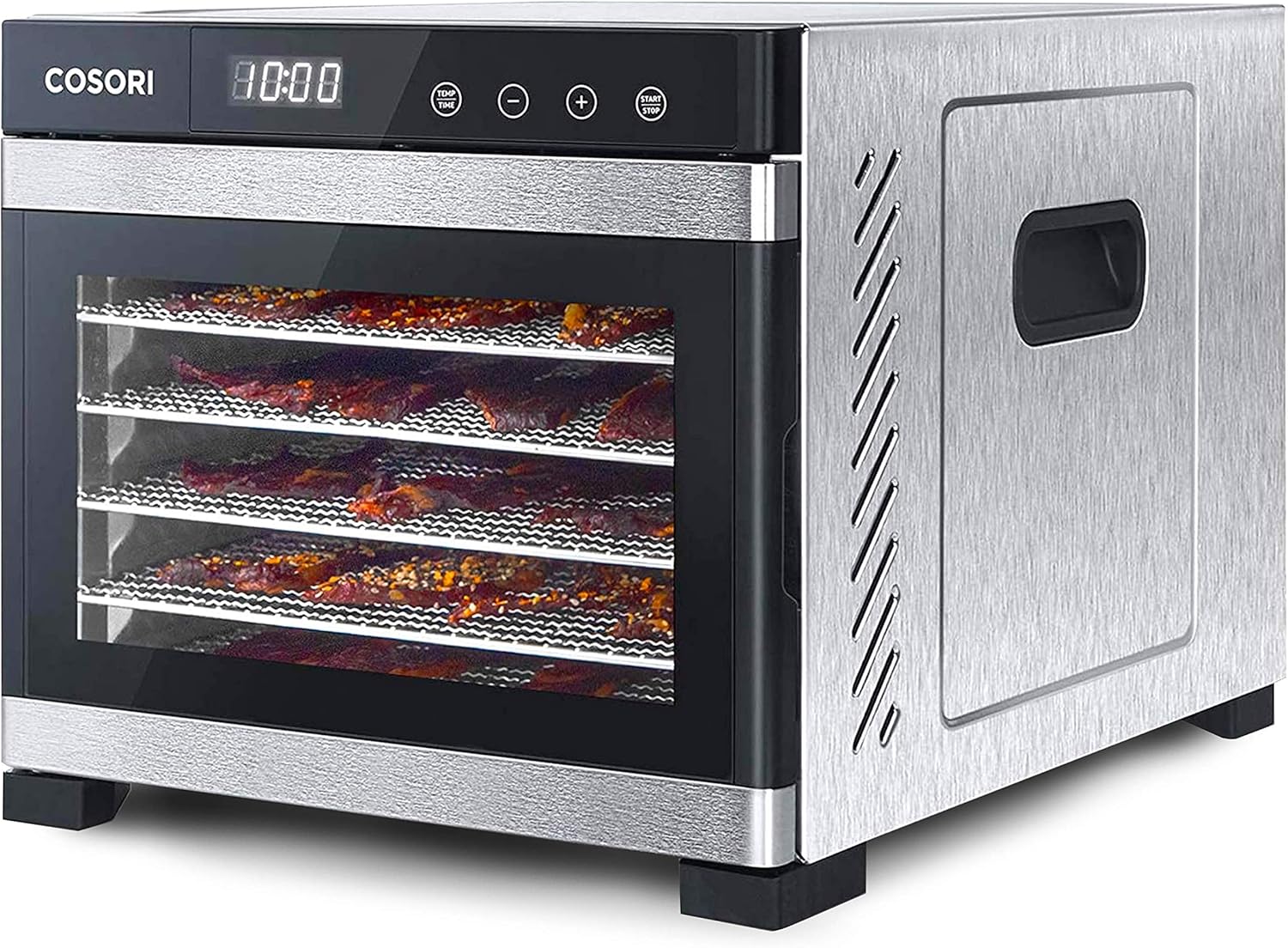
Food Dehydrator Method

If you have a food dehydrator at home, this method is easy to use. You can also use this method for any type of filaments such as PLA, ABS, PETG, Nylon, and Wood. Dehydrators operate at lower heating temperatures to slowly dry out food like fruits. But, you can use it to dry out your filament as well.

PLA104-112 degrees Fahrenheit
ABS176 degrees Fahrenheit
PETG160-180 degrees Fahrenheit
Nylon176 degrees Fahrenheit
Wood95-160 degrees Fahrenheit
Food Dehydrator Temperature for Filament

For this method, make sure you can fit your filament spool in the dehydrator. Then, preheat your dehydrator to the desired temperature according to the chart on the right. Once the dehydrator is fully heated, you can place your spool of filament in. Let the machine run for 4-6 hours, and to be safe, check on the filament every hour.

Checking on the filament hourly can help you see the progress and you will be able to spot if the filament is melting together or not. Because it can’t use high temperatures, the dehydrator shouldn’t be able to melt the filament.

If you notice that any of these drying methods start to melt your filament, then pull out the spool. After you have taken out the filament, you can try the method over again, but be sure to make adjustments to the process you used. If you used your oven, chances are that the oven did not keep the heat at the right temperature. So, make your adjustments or try a new method.

How to Prevent Filament from Getting Wet?

Filament gets wet depending on the air in different locations. If you live in a humid place, or if it gets humid over the summer, then you have to cover your filament. If you live in a dry place, you should cover your filament, but leaving it out on a table for a while shouldn’t harm it.

You should take into account where you live, and see how it affects your filament. Depending on how wet the air is where you live, you may need stronger containers instead of simply using a plastic bag.

If you have never noticed a problem with your filament, then keeping it in a plastic bag or plastic storage bin should work fine for you. That way you can keep all moisture out, keep all your spools in the same spot, and make sure that your workspace stays organized and clean.

Filament needs a dry place to protect it against moisture. So, at least having a plastic storage bin or a plastic sealable bag for it is a good place to start. But more importantly, the place where you store the filament should be where there is little moisture. For example, a bathroom, kitchen, or laundry room would not be good for storing filament. Instead, try using a storage closet or place close to where your 3D printer is. That way it is away from moisture and it is close to the 3D printer.

If you have a craft room, that would be an amazing place for storing filament. Just be sure to keep items like room humidifiers away from where your filament is so that you can keep it dry. As long as your filament is covered and stored away from potential moisture, then it should be fine. Over time the filament can draw moisture out of the air, but it shouldn’t harm the way the plastic comes out of the 3D printer.

If you need a stronger barrier to protect your filament against moisture, then you can consider other methods for storing it. Some airtight containers and bags can suck the air out of the container you have for the filament. Depending on how humid your area is, you may or may not need a secure airtight place to keep your filament.

The main tip you can use to prevent your filament from absorbing moisture from the air is to always put it away after using it. Keeping the spool out in the open is what causes the plastic to take in moisture. So, if you at least put your filament away in a simple plastic bag or container, then you will be protecting it and making sure it lasts a long time.

Posted on Leave a comment

Does 3D Filament Go Bad? | Shelf Life of Filament

3D filament is expensive, and when we buy it, we tend to hope it will last us a long time. But, as with many things, this simply might not be the case.

3D printing filaments will go bad, especially if they are exposed to humidity. They can last anywhere from two months to two years depending on the ambient humidity. The best way to prevent filaments from going bad is to store them in an airtight sealed container with a desiccant or silica.

So, what do you do with all of those filaments you have lying around on your desk, and how do you protect them from water damage? Also, what is it that makes filaments vulnerable to humidity in the first place, and are the things you make with them vulnerable as well? We’ll cover all of this and more below!

The Life of a Filament

Many filaments have a structure that tends to absorb water when put in contact with it. Even if they absorb even a tiny bit at a time, that will add up to cause not only a slight swelling in the filament itself (which can damage its nozzle) but also some structural damage that can cause the builds that use the damaged filament to become brittle or lose strength. This property of being absorbent is known as being hygroscopic.

Several different kinds of filament are commonly used in the United States. Most of these can go bad when exposed to humidity. Here is a list (that is by no means comprehensive) of the different ways that a filament can go bad.

PLA

The only way to tell that PLA has been damaged is to start printing with it. If it damages the nozzle of your printer, creates a print with dark splotches on it, or makes a weak product, it might be expired. Water-damaged filaments can create bubbles, air pockets, and stringy buildup, none of which are ideal for 3D printing.

You can prevent your PLA from going bad by storing it in a cool, dry place or an airtight container with a desiccant or silica. This will prevent your filament from coming into contact with water entirely, making it less likely to sustain any kind of water damage.

A PLA filament can spend about two months in a hot humid spot or two years in a cool dark one before it goes bad.

PETG

PETG is similar to PLA, but it’s designed to be less sensitive to water. Because of this, it can survive for around a year before receiving any sort of damage from it. It will still end up getting destroyed by humidity, however, and so correct storage is very important if you plan to keep the filament for longer than that.

ABS

ABS is another fairly common kind of filament that can easily expire. Unlike PLA however, you might be able to discover that an ABS filament has gone bad because the color has faded. Exposure to moisture causes it to develop hairline fractures which can cause the products to be vulnerable to mold or bacteria, which will smell bad and potentially cause structural damage.

That being said, ABS can last for over a decade with the proper storage, especially if you dry it out before using it. Just watch out for discoloration and bad odors.

PVA

PVA is actually soluble in water, which means that humidity can destroy it beyond repair. PVA needs to be stored in a place where water can’t get to it, or else it will go bad quite quickly. Other filament types can usually be dried, but water is a death sentence for PVA.

Nylon, Polycarbonate, and Copolyester

All of these filaments are so hygroscopic that just two days in humid weather is enough for them to be completely ruined. These filaments all need to be treated with extreme care if they are to be used. Proper storage and care will prevent them from receiving moisture damage and will remove the need for them to be dried out before they can be used.

Most filaments are both hygroscopic and biodegradable, which means that they can in fact go bad when they have too much moisture. They can even break down over time if you leave them out for too long.

But if filaments can degrade, then what about the things we make with them?

Can 3D Printed Objects Go Bad?

Focusing on PLA, the answer is technically yes. Because PLA is made from biodegradable materials, it will break down over time and eventually decompose.

When stored at room temperature in a relatively dry place, it will take 15 years for the object to show any signs of decay. In fact, unless it’s left out in the sun, dunked underwater, or buried deep underground, it’s very unlikely to start breaking down before that time. It takes such a long time to decay that there’s really no need to worry about it.

The only exceptions would come if you choose to bury your print in the dirt and heat it up to about 140˚ Fahrenheit (60˚ Celsius) at which point it will start to degrade extremely quickly, showing signs of cracking and tearing after only six months.

Of course, there’s no way that anyone would do that on accident, so you won’t need to worry about PLA projects wearing down when they are used for regular circumstances.

While sunlight won’t make the object decay much faster, it will cause it to lose some of its color, especially if you’ve applied paint to it. However, this can easily be fixed with a quick touch-up to the paint job, and it won’t damage the structural integrity of the object.

That being said, the warmth from the sunlight can speed up the process of decay, so if you like playing with your 3D printed projects outside, you might want to keep that in mind.

Most 3D printing filaments are biodegradable, although the time that each one takes to break down might be quite different. Some will last longer than others.

But fifteen years is a long enough time that you’ll probably be able to replace the object long before it ever starts to be a problem. Given proper maintenance and care, you can probably keep them for even longer than that. As long as they’re in a relatively cool, dry place, they’ll be fine.

As a sidenote, PLA is actually recyclable under the right circumstances. Of course, you’ll need to clean any dirt and grime off of the print thoroughly and make sure that it’s made of 100% PLA. You can even recycle it at home to use for your next project if you really want to! You’ll need a specialized recycle extruder for your printer, but otherwise, you can do it yourself with only the printer and a shredder to break the print down into tiny parts.

Use the shredder to shred the print into 0.7 cm strips. Then, set up the recycled filament on your printer. You can now load the printer with the strips, which will come out as a filament thread. You may have a way to spool this thread up, but if not, you’ll just want to make sure that it coils itself as it hits the ground.

You can do this by pushing the new filament to one side as it hits the ground. This should help it coil pretty nicely if you do it right.

When you have it coiling the way you want it to, you can start fine-tuning to get the process. You’ll be recycling old PLA in no time, and that should save you quite a bit of money.

Can You Restore Bad Filaments?

Most filaments will end up going bad because they’ve taken on a large amount of water. This is actually a solvable problem much of the time. All you have to do is dry out the filament and it should be usable again. But how do you do that?

The best way to dry your filaments is with a filament dryer. Filament dryers are easy to use and reliable, as they have specific settings for each of the different filaments that you might need to dry. All you need to do is put the spool of filament into the dryer, pick the appropriate setting, and wait for it to dry!

The next best choice is a food dehydrator. Food dehydrators just happen to do the exact thing that we’re trying to do here, which is getting all of the water out of something that is wet. For PLA, run the dehydrator at 45˚ Celsius (112˚ Fahrenheit). For ABS, you’d want it to be much hotter, around 80˚ Celsius, or 176˚ Fahrenheit.

Finally, you could use an oven to dry out the old filaments, but ovens are rather unreliable at these sorts of things as they often aren’t exactly the temperature they say they’ll be. If the oven isn’t hot enough, then the filament won’t get dry. If it’s too hot, the filament can be permanently damaged. That makes ovens a fairly risky choice for filament restoration.

You can also sometimes dry out a filament by applying desiccators, but will only work if 1) the desiccator is already dryer than the filament and 2) you use a lot of desiccators.

Desiccators work by being so dry and so absorbant that water flows into them, but it turns out that if there’s enough water in an object, it will actually attract water better than the desiccator will!

Because of this, and the fact that even the strongest desiccator can only absorb up to 20% of their mass in water, desiccators are usually not especially feasible for use in drying out waterlogged filaments. They’re great preventative measures though, and it’s a good idea to store your filament with some desiccators nearby.

How to Prevent Damage

Of course, it’s usually better to prevent damage from occurring than it is to fix it after it’s already happened. If you don’t have the proper equipment, restoring wet filaments can be a tricky process that’s more trouble than it’s worth. So how do you prevent the need for drying entirely?

The answer is simple: store your filaments in a dry place. No matter what kind of filament you’re using, you can never be too careful about its storage location.

The first step is to find the coolest, dryest part of your home. This might be a basement if you live in a place where there are basements, or it could be a closet or a pantry that doesn’t have any windows and will never see the light of day.

Now that you’ve found your ideal location, you’ll want to move all your filaments there. But they aren’t safe quite yet! Your next step is to find either airtight bags or containers to sequester them away in. Some filaments come in airtight storage bags. If these are reusable, then great! You can keep your filaments in their original bag as long as you still have a silica packet to go with it.

You can also use storage bags as long as you have desiccants and humidity meters to go with them. These are fairly durable, and the desiccants can suck up any excess humidity. All you’ll need to watch out for is dust!

You can even use vacuum bags if you have them. These are great because they prevent any water from getting into the bag and damaging the filament. There can’t be any humidity if there isn’t any air.

Airtight storage boxes can also work well for keeping out the damp if used correctly. They can have quite a high storage capacity, meaning that you don’t have to store all of your filaments separately, which can be nice. You do need to make sure that the container has a sufficient amount of desiccant inside it, however. Even if new air won’t enter the box, there is still air inside the box.

Finally, you could buy a filament storage box. These are actually designed to store filaments, which makes them a perfect choice. Because they’re climate-controlled and perfectly dry inside, your filaments should last for their full shelf life when they’re kept inside.

However, these containers can be kind of pricey, and it might be cheaper to use more DIY methods. It’s up to you, as long as the filaments are stored safely.

Posted on Leave a comment

What Are the Disadvantages of 3D Printing? | Pros and Cons

3D printing has become an incredibly popular way to manufacture goods. While it doesn’t seem as though it has been around for long, it is about 40 years old. As it has molded the past, it will continue to shape our future.

3D printing comes with advantages and disadvantages. 3D printing can’t be done with a variety of materials, cannot be used to make large quantities, and may lead to a reduction of jobs. Although, 3D printing allows a designer much more freedom and takes far less time, and is more eco-friendly.

Together with both the pros and the cons, 3D printing is still used widely and will continue to grow in use as technology progresses. It is important when you first start 3D printing to understand the risks as well as what good it can do for your business or your life. Depending on your circumstances and the circumstances of the world, you may very well see the pros and cons differently from time to time.

3D Printing Benefits and Drawbacks

The earliest 3D Printing was done in the 1980s, but it has progressed a lot and expanded in each reach since then. Nowadays we have the capacity to build 3D houses and even print in space. So, what are the great parts of 3D printing, and what are some not-so-great parts?

ProsCons
Less Waste Limited Materials
New ShapesSize Restrictions
Fast & Effective Copyright Issues
Light Parts Large Scale Slowness
Quick ProcessPost Processing Work Load
Portable Reduced Employment
Freedom of DesignCost
Accessible Part Structure

Let’s take a closer look at each of these pros and cons so that we can see if 3D printing suits our needs and the needs of others. Each of these will help you determine which source of manufacturing is best for you! It will also just give you a small glimpse into what 3D printing looks like and how it has begun to function in our society not only as a way of manufacturing products for sale but also as a hobby and at-home machine that helps individuals and companies bring their dreams to life!

Pros

As we see from the table above, there are a variety of really great outcomes that 3D printing has to offer. Today it has become cutting-edge technology that has helped to manufacture things that were impossible to do before. Consider these advantages and disadvantages to decide if 3D printing is right for you. There are a variety of options out there if 3D printing does not work best for you.

  • Less Waste – In other forms of manufacturing, they will have a large piece of material and cut out the shape of what they want to create, leaving all the excess as waste that most of the time can not be recycled. 3D printing does not take away from the material but is an additive process, meaning that things are added to create the shape, and only minimal shaving off and sanding is required. Plus, the material that is used is normally recyclable and is often made of recycled material itself. This makes this process better for the designer, but also for the environment.
  • More Shapes – All of a sudden we can create things that we could not create before! We can now make more intricate designs and use more complex shapes because of 3D printing. 3D printing frees up quite a few things to ensure we are able to create anything we desire.
  • Fast & Effective – For simple, basic, or even slightly more detailed items, 3D printing an object can be done in a matter of a few hours. This is much faster than other manufacturing techniques, such as molds or machined parts. It is quite fast for the quality product it creates. In addition to this, you can also print on demand with 3D printers, rather than buying your manufactured product in bulk and keeping up a huge supply for a year while it sits in a warehouse and gets dusty. Instead, you can print stuff right when you need it. This way it saves you time, money, storage fees, and heartache from lost products. It is fast not only in its creation, but also in its ability to make this more smooth and quick in retail.
  • Lighter Parts – Another really great advantage of 3D printing is that you can create parts for cars and other similar things that are much lighter than the metal parts we use now. This adds to fuel efficiency and helps to create a way for us to move forward. While it is plastic and lightweight, it still remains strong and capable. In the creation process, elements can be added to make a part heat resistant, have greater strength, or even repel water.
  • Quick Process – Because putting your design in the 3D printer is only part of the process, it becomes easier to be creating one design while another is in a different stage, and therefore it allows more freedom in the use of your time. Once a machine has started working on a design, it can be run by a single person, and that one person can be running multiple machines at once so that things are happening quickly and effectively.
  • Portable – Have you ever wanted to make something away from home? Or away from work? 3D printing makes this possible. Each 3D printer is different in size and shape, and while there are larger printers that can be used on an industrial level, there are also small, portable ones that you can take with you anywhere you go. This allows you the freedom of creating and printing things where ever you may be.
  • Freedom of Design – Things, that before were not possible, have become possible with 3D printing. You can now create extremely complex geometric designs with just the push of a button. Normally, items like this cannot be made, and so 3D printing has opened up a new door for creators and inventors to create things that before would have been impossible to make.
  • Accessible – Because this is a fairly new industry, and because it has become so popular, it has also become very accessible. If you need something 3D printed and you don’t have a printer yourself, many places will make it for you. It also is something that is around in most places locally, meaning that outsources the creation of products to another country may be more expensive than to just create them where you are and not worry about shipping them overseas.

Cons

While all these advantages are good, we must keep in mind that this is still a fairly new industry. It has been around for 40 years, but it has made most of its progress only recently. It allows you to do great things, but may also lead to small problems in the economy and in the manufacture of items that a person plans to sell or use. Carefully review each and see which will be most detrimental to your situation.

  • Limited Materials – Thus far, only a limited amount of materials have been able to be used. They used a limited selection of plastics and very limited types of metal. The materials must be able to be temperature controlled well so that they can be used, and there are not many materials that fit the criteria needed to ensure a well-working item.
  • Size Restrictions – The chamber within a 3D printer where the creation actually happens is actually relativity small. There is not enough room in there to create something that is larger in size. Even larger printers that are industrial grade do not have enough space for some items, meaning that larger items still must be made using another form of manufacturing, like injection molds. This might change in the future, but for now, 3D prints are small.
  • Copyright Issues – Just as with any new technology or creation, after it has been around for a few years, there begins to be problems with legal issues. It is important that each product created through 3D printing is not copyrighted. It could pose a serious problem if people began to create fake products and advertise them as the real thing, not only taking revenue from the actual product and company, but also overlooking important safety features and rules.
  • Large Scale Speed – While we talked about speed as an advantage, it is also a disadvantage. While 3D printing has made things be able to take place more quickly, it is still not fast enough to create large quantities of any one thing, and after you get to a certain point, it is more cost-effective and timely to use another form of manufacturing that can keep up with a large quantity demand. And yes, most prints only take a few hours, but that’s only one print, and if you are making a lot of an item, then those hours add up really fast.
  • Post Processing – After the item is created, it isn’t the end. Prints don’t necessarily come out as a finished product as you might have hoped, and most of the time 3D printing is used to create parts that must later be assembled and finished. It also means that you may have to sand and add other details that were impossible for the machine to add.
  • Reduced Employment – A lot of new technological advances mess with the economy and working-class people. 3D printing is not exempt from this. The more we are able to use this technology, the fewer people will be needed to manufacture products. A group of 30 people can be replaced by one person to run 30 machines. This is not helpful to the economy and the working class.
  • Cost – A 3D printing machine is actually pretty pricey when compared to other manufacturing machines. They cost anywhere from $10,000 to $100,000. It is a considerable investment that may take some time to pay off. Plus each is manufactured to the needs of the buyer, so it is important to understand that it may take weeks to actually get the product once you have bought it. Materials also have a large price tag, and so the creation of things adds to the cost each time you want to use them.
  • Part Structure – Another problem may be that parts which are created with 3D printers are strong, but sometimes not strong enough to pass strength tests. This will all depend on what you are creating and what you are using it for. Only for certain products will strength tests be required or relevant.

“Additive manufacturing allows parts to get printed in layers that adhere to each other during the creation process. That means these items can sometimes separate or break under certain stress levels or with part orientation.”

source

3D printing has opened a whole new world of opportunities and experiences. It is really still only in the beginning stages and is sure to continue to progress and be refined as time goes on. Through a careful analysis of its pros and cons, we can find out that 3D printing may not be the best manufacturing for all things, but for some, it is the best option! It all depends on what is being created and what components it needs to function. It is also important to consider the cost to create things; in some instances, 3D printing will be the cheapest option, while at other times it will be different than what you would expect. It is a new technology and we must learn to progress with it!

As we see, there are a whole plethora of advantages and disadvantages. We have chosen to show you both sides so that you may see what could potentially go wrong if you were to enter into that system of manufacturing. It is phenomenal technology that will continue to enhance life at a creation level, but as with all things, it will always have its downsides that we will have to work through. It is just a matter of deciding which is more important to you, and how you can make it work as you create and print.

Posted on Leave a comment

Is It Hard to Learn 3D Printing? | Compare to other 3D Hobbies

3D is a generally new practice as it was only created in the 1980s. It has been deemed as modern sculpture, allowing creators to print out their designs. Although 3D printing sounds easy enough, there is definitely a learning curve when it comes to this trade.

Learning the basics of 3D printing isn’t too difficult, although understanding all the different software and parts of a 3D printer can be strenuous. It can take months to understand how to use 3D printing and years to master, yet it is growing in popularity for hobbyists and innovators alike.

There are many factors to consider when it comes to 3D printing, so beginners need to understand what those factors may include.

Best 3D Printers and Software for Beginners

There are numerous types of software for 3D printers, some being much too advanced for those beginning in the hobby. As the number of 3D printers increases, it can be difficult to decipher which 3D printers or software are the best for beginners.

Software

Tinkercad is one of the best programs for beginners according to 3dprinting.com. The software has many tutorials that help amateurs navigate the innovative hobby. Tinkercad uses a “block-building concept” that makes it very user-friendly and easy to understand. The program is also free, making it perfect for those starting with 3D printing.

Blender is a popular software for 3D printing for its variety of features. It is also free of charge, making it a popular option for many hobbyists, whether they are amateurs or seasoned veterans. It has a steeper learning curve than Tinkercad and is ideal for creators that feel that they are ready to design more intricate items.

Blender is also known for how realistic its renderings are. This makes it easier for the creator to visualize their design before printing it out.

FreeCad has also been named as one of the best 3D printer software by 3dprinting.com. One of the best features of this program is that you can make an item of any size. The software also includes robotic simulations, and none of the design features are blocked by a paywall. FreeCad is also free software, so it is a program that beginners should consider looking into.

OpenSCAD is another free software that beginners should look into, especially if they are interested in programming. Rather than manipulating the shapes, the creator must enter codes in a script file to create their shapes and design. OpenSCAD also has a feature that allows the user to upload a 2D picture and then make it into a 3D creation.

With OpenSCAD’s strict programming features, it may be daunting for some users if they don’t know much about programming. Luckily, there are many other software options to choose from that allow creators to manipulate their rendering as much as desired.

Many more software programs are available for 3D printing. Take a look at 3dprinting.com for the wide variety of programs for 3D printing.

Printers

According to Best Reviews, 5 printers have been deemed as the very best in all of 2021.

PrinterPrice on Amazon.comWhere to Buy
Dremel DigiLab 3D45 3D Printer$1,688 USDProduct Link
FlashForge 3D Printer Creator Pro$549 USDProduct Link
Makerbot Replicator+ 3D Printer$1,963.48 USDProduct Link
Silhouette America Alta 3D Printer$199.99USDProduct Link
Ultimaker S5 3D Printer$6,355 USDProduct Link
Prices for the top 5 Printers on Best Reviews

The printer classified as “best of the best” is the Dremel DigiLab 3D45 3D Printer. It has been highly recommended by many experts and is known to be very dependable. It works with four different filament types. The Dremel is also known for being great at printing many parameters of designs with close attention to detail.

The only drawback to this printer is that it does not work properly without the official Dremel filaments. Other than this, the Dremel is a widely esteemed 3D printer that has a 4.5-star rating on Amazon with over 480 reviews.

The FlashForge 3D Printer Creator Pro was labeled as the “best bang for the buck” and is deemed as a customer favorite. It is known to be very reliable, stable, and produces high-quality work. FlashForge is also known to have great customer support with expert technicians via email. The price of this printer is better suited for smaller budgets that are beginning the hobby.

One complaint about this 3D printer is that it can be pretty difficult to set up. Thankfully, the online support team is easy to reach out to and can help anyone through the process.

Makerbot Replicator+ 3D Printer is one of the best options for beginners due to its user-friendly setup and companion software. One of the features that sets this apart from other 3D printers that are mentioned on this list are the cameras that monitor the progress of the item being printed. This is a great feature so that the user can be aware of whether or not the printer is working as expected.

Silhouette America Alta 3D Printer is a smaller 3D printer, but the price makes it great for beginners who are wanting to try out the hobby. Due to its small size, Silhouette America is known to print out objects quickly, but the 3D printer is limited to printing items at a maximum of 5 inches tall.

Out of all the 3D printers on this list, Ultimaker S5 3D Printer is known to create the largest scale and most detailed items. It also works with a wide variety of filaments. However, the price tag of $6,355 can be a major reason that people turn down this option.

Materials Needed for 3D Printers

Acquiring the necessary instruments for 3D printing is simple. Obviously, you will need a 3D printer. You will also need a computer that can hold 8 GB of memory and a fairly powerful CPU. The more memory you have and the better the CPU, the more ideal the user experience will be. It is also necessary to have access to the internet to download pre-designed 3D files if you will not be designing your own.

If you are not going to be designing on your own, websites such as Thingiverse, Cults3D, and Pinshape are a great way to help you find and share free 3D printing designs. These innovative websites can give anyone the spark that they need to start creating their own designs.

Along with the 3D printer, you may choose any type of material to design with. The most common material to use is Acrylonitrile Butadiene Styrene, also known as ABS. This may be the most common, but there are several materials that you can work with including, but not limited to:

  • Carbon Fiber
  • Nylon
  • Metal
  • Polylactic Acid

To learn more about the materials used for 3D printing, Matter Hackers has a guide of all the different filaments that can be used for all types of 3D printing projects. Filaments are simply just the materials on a spool that are fed into the 3D printer that are then melted to create any type of design possible.

Before using any type of filaments on a 3D printer, be sure that it is compatible with the 3D printer.

Where Can I Learn More About 3D Printing?

Since 3D printing is relatively new, there aren’t any colleges that offer a degree in 3D printing specifically. However, some degrees can aid those who are interested in a potential career in 3D printing. To those who are solely interested in 3D printing as a hobby, there are free resources online that are a tremendous help to learn about additive manufacturing.

For informal education, there are hundreds of videos on YouTube that can aid you in any project with a 3D printer. Various creators such as Mike Boyd, Vision Miner, and 3D Now have a variety of tutorials for computer-aided design (CAD) and 3D printers that can be especially helpful for beginners.

There are many websites such as matterhacker.com, ultimaker.com, and rigidink.com, just to name a few. There are also online classes offered by certified 3D printing experts on linkedin.com. With the many insights and tutorials offered for free online, it isn’t necessary to get an associate’s or bachelor’s degree in degrees relative to 3D printing.

However, for those who are interested in making a career out of this hobby, there are a wide variety of degrees that can lead to professions in 3D printing. Some of the best degrees that can aid 3D printing are:

  • Art and Animation Design
  • Software Development
  • Architecture
  • Engineering

To find more degrees, computerscience.org has a list of degrees that work with 3D printing.

2D Art versus 3D Printing

Before beginning 3D art, one should be proficient in creating two-dimensional art on programs such as Photoshop, MS Paint, and animating software. Having a basic understanding of the elements and principles of art can help any creator whether they lean more towards 3D or 2D design. However, 2D design is the best way for any artist to learn about these foundations before moving onto 3D designs.

Having this knowledge before 3D printing is crucial because it gives the creator a better understanding of how art and computer-aided design (CAD) works in general.

Learning how to use 2D software such as Builder, Slash, Crafter, and FreeCAD makes users more comfortable when it comes to making 3D creations. Of course, there is a steep learning curve when another dimension is added. 2D just uses a flat dimension only using the X and Y axes while 3D art adds the extra Z-axis.

3D Hobbies vs 3D Printing

Utilizing 2D software programs is not the only good prerequisite to learning 3D printing. Numerous amounts of hobbies require making art in three-dimensional shapes such as:

  • Pottery
  • Wood Working
  • Crocheting
  • Sewing
  • Model building

Understanding how to make three-dimensional objects can help designers understand what looks right and what works when making 3D renderings.

Although these three-dimensional trades are quite different from 3D printing, they can be a more affordable and easier route to take before jumping into 3D design. For example, a crochet hook can cost as little as $3 USD along with the necessary materials.

Model building is another popular and affordable hobby that requires kits or homemade parts to build small-scale buildings, homes, boats, etc. With a 3D printer, model builders can enjoy both hobbies by creating the parts needed for their models and the freedom to create their model however they would like with the use of a 3D printer.

Pottery and woodworking can be a bit pricier than other hobbies but can give a real-life experience of creating three-dimensional objects. These hobbies involve a lot of handy work, however, this can be an unexpected but necessary prerequisite for 3D printing, especially because 3D printers can be finicky and fail often.

The Future of 3D Printing

The industry of 3D printing is only going up.

“The 3D printing market… is estimated to reach USD 62.79 billion by 2028 and… a CAGR [compound annual growth rate] of 21.0% from 2021 to 2028.”

Business Wire

3D printer manufacturing is making its way through all types of trades, from home décor to dentistry.

According to computerscience.org, there was a study done in 2014 which revealed that a majority (about 66%) of manufacturing companies are utilizing 3D printing in their business. 3D printers can create quick and easy prototypes for new inventions or they can create more affordable housing throughout the world.

The possibilities of 3D printing are endless and many companies such as Nike, Airbus, and Ford are beginning to employ more and more 3D printing machines. This saves the companies time and money as it requires fewer workers to build necessary parts.

The future of construction may even change due to the new 3D printers that have the capacity to build affordable homes. The company ICON has teamed with builders in Austin, Texas to create the latest technology in 3D printed homes. You can learn more about it on their website and take a look at this video to see how 3D printed homes work.

Not only is real estate going to be impacted by 3D printing, but the medical field is also already beginning to use the innovative technology in its practices. Dentists will be able to mill crowns and other dental materials in as little as 10 minutes with a 3D printer. Prosthesis and implant designers can also quickly create prosthetics that can suit their patients.

3D building is only in its beginning stages, and there is room for growth in this innovative technology.